Sunday, April 24, 2016

The Long Road to 1 to 1 (step 4)

So you go 1 to 1. You give the teachers a laptop; you tell the students they have to bring one too. And that's it. Well, you bring in a LMS but you don't mandate it's use. You make Google Drive available, but again, you send contradictory messages about it (maybe OneDrive would be a better fit). You bring in a couple of tech-focused gurus for workshops. Light the blue touchpaper and stand well back! And...
Picture credit: pixabay
Well, no, nothing like that.

And that's probably for the best. Most people are not revolutionaries, they do not want to live through interesting times. But, on the other hand, if you ask your teachers to make a change (and potentially a big one), you don't want everything to be as it was, or what was the point?

Beforehand, I had encouraged people to think of it as a soft launch, or maybe not even a launch at all, but more like a milestone on the long road to 1 to 1: neither at the beginning nor the end of the journey. There was a couple of reasons for this. Many staff were fearful of the change, so it might settle their nerves to know that there would not be an expectation immediately to be functioning at a high level of technical expertise. Secondly, we were badly prepared: LMS, online storage, PD, the infrastructure are all sort-of present, but practically, each is insufficient in one way or another. Let's not point fingers (I'm sure I am implicated too), rather I am interested in how a school can up its game and become a good learning environment once the physical fact of 1 to 1 is established.

Our teaching staff are experienced educators and many have been at this place for a long time. They knew what they were doing before 1 to 1 came along. They have not been asked to do anything very different. Furthermore, there is an existing content-rich curriculum many elements of which have been in place for a long time and are not showing any moves towards retirement. So putting a layer of mobile devices on top will not, in itself, change anything. Not many of the teachers has worked elsewhere in a 1 to 1 environment, so there is not a lot of pressure from that direction, and those who have worked in 1 to 1 tend to operate in their own little isolated pockets (generally, when they try to inject some new ideas into the system this is not well-received; hence the pockets).

It's the job of the Facilitator to make a difference - and that's me and my colleague.

No-one will change the way they do things unless they see a reason to do it. So what could motivate our teachers to make the effort and go through a process of change? The problem, in my view, is that they do not know what the goal looks like. The world of educational technology is full of high-flown notions:
"Teachers use their knowledge of subject matter, teaching and learning, and technology to facilitate experiences that advance student learning, creativity, and innovation in both face-to-face and virtual environments. 
a. Promote, support, and model creative and innovative thinking and inventiveness."
 (ISTE Standards for Teachers, 2008)
Hard to disagree, but what does that mean in practice? So I started looking for something which described more concretely than the ISTE Standards what it is we think we are doing? And I can't find it! At the other end of the spectrum are accounts of what people are doing in their individual classrooms. Great, but also not what I'm looking for. Nor do we need any more lists of '10 tools you can't possibly live without'. No, what I am working towards is a way to give some teachers who have never seen one a big and detailed picture of what a 1 to 1 classroom can be.

And if you can't even do that, then you really have done nothing more than just put some computers into some rooms.


Sunday, March 22, 2015

4 seasons in one day

On Friday, I presented here so it wasn't an everyday conference experience: psyching up for my session; presenting; coming down from the adrenalin and not being able to focus on what's in front of me for the obsessive need to read how my talk was affecting Twitter (no big hype, but much more attention than my daily grind generates).

So on Saturday, I resolved to leave my computer in my bag during sessions and just to be there (although I am a vehement advocate of the myth of multitasking, I am as distracted by proximate screens as anyone else). As a result, I absorbed the message and the feel of the talks rather than the details, but I since I spend the rest of my life deluged by website and app tips (and there will be more again tomorrow), it is good to use the conference as a time to reflect and to absorb the philosophy of the presentations. As a result, I hope that the bigger picture will emerge.

And it has happened. Saturday was one of those days where each session seemed to continue a dialogue I had had in the previous one. The thread which ties them all together comes from my own head, I suppose, but it is as if the speakers choreographed a dance to a solution I have been seeking.

Here's my issue. I have realised recently that if I, the ICT Facilitator, do not expose my students to digital citizenship, no one else will, at least not in the tech-sympathetic way I want to see it happen. I teach a course called ICT in Action with each Grade 7 student once every four days which is intended to give the kids "skills, content and attitudes" that will help them in their other subjects especially when we go one-to-one with laptops in the classroom next year.

But I do not like the way I teach parts of this course. In particular, the digital citizenship lessons follow some published plans that I found on the Net and are dull, dull, dull. I am teaching from the front and trying to get the students doing identical tasks at the same time. Although I have moved away from that model elsewhere in my Physics, ToK and parts of the ICTIA course, it's still happening here. I feel I know what I want the students to come away with and I am refusing to let go. And as a result, I'm sure, they are not learning and we are not creating good digital citizens (which was the idea, obviously).

So back to the conference:

Embedded image permalinkFirst up, Kim Cofino, whom I last saw presenting back in 2009 in Hong Kong with the same result: not so much the tips (of which there were many good ones, make no mistake), but pure inspiration which works for me as a spur to action. "Learn with technology the way we live with technology" she said, with Snapchat as a current example. That made me think: she is right, of course, and I should be getting out of my comfort zone and risking more. Taking risks is what I had suggested, in my session the previous day, everyone should do. If I am not even making it happen in my own course, however, I need to make a change and take a jump in the dark. My school is deeply suspicious of the use of social networks. But it's clearly bonkers to teach about responsible use of social media in the abstract when the examples are literally a click away.

At the next session, Cate Jarvis gave an excellent overview of the tools we can use for teaching digital literacy. It reminded me of some which I have lapsed from using and now resolve to revive. Most memorably, though, Cate admitted that she hasn't found a satisfactory way to bring across to students the skills of authenticating information. That's how I feel too, and thanks to Cate for being brave enough to say it in front of a group of strangers. This realisation linked in my mind with Kim's session and made me think again that I must work harder to develop a new course.

Tricia Friedman, did a great session on blogs, reminding us that it is about the writing, reflection and interaction and not the tool. She demonstrated it wonderfully by making us create instant blogs (called fblogs by Tricia) on big sheets of paper, a great activity which I look forward to applying to students and teachers when the occasion arises. This made me realise that blogging is one of the activities I am not developing enough with my classes. Three sessions and three takeaways.

And so to Antoine Giusti who presented about collaborative tools and, in particular, the moment when he gave the students more freedom to develop their own understandings in his science lessons. Antoine still provides materials and activities, and monitors closely their progress, but the students exercise a high degree of independence in how their groups tackles the tasks (though some may take the lead in an activity, all must contribute and demonstrate their understanding). Can I adapt this approach for teaching Digital Citizenship? I think I can!

The last session of my day, with Sandra Lipkind, was the one I had been looking forward to: Filmmaking 101 for teachers. Basically 60 minutes of golden tips for someone like me, starting from a position of ignorance, who wants to teach students to create films as well as making my own films better. There were so many good ideas and terminology: everyone will be impressed when I start talking about 'master shots', dollies and Foley. In fact, I have a project right now, making a movie with a group of students, so the great advice couldn't have been more timely.

So that's a sequence of arbitrary choices based on a general interest, which turned out to lead me down a road of realisation of how I have been diluting the innovation in the teaching I do in the hurly-burly of the working week. Who knows if I shall find the space to develop, but the intention (and more importantly, the inspiration) are there at least.


Saturday, January 31, 2015

Does Google know where you are? No?

In case I forget what I did last Wednesday, Google remembers
We don't always realise what we are agreeing to when we check boxes in our apps. If a web service asks you 'Remember your location?', don't expect it to forget a convenient time later. Google, to take an example, has something called Location History. It's not a secret, but nor do they advertise the fact like you might think.

If you have chosen to let Google know your location, and there all sorts of legitimate reasons, like finding your way using Google Earth or Maps, it will have kept that record. Have a look here.  If you have more than one login, check each one individually (my school Google doesn't track me, my personal one does, when I let it). In retrospect, you can think 'of course they know that' but it can come as an unwelcome reminder that the Net doesn't suffer from the amnesia we humans are prone to.


As the map above reveals, I was at school last Wednesday. At least, with my aging phone, they weren't spot-on with the precise location, but I can see when I visited Hillside or Lower School TO THE SECOND.

The good news is if you don't like it you can erase the past or switch it off into the future. The option is right there on the same page as the map and calendar (see left).

It is a matter of personal taste whether you like this or not. Google (or Apple, or your GPS) is only remembering what you have told it, after all. The important thing is to know what you are sharing and the consequences of keeping it or erasing this information.

Wednesday, January 14, 2015

Sync your clouds with CloudHQ


Imagine. You have been using Dropbox for a few years and then your school introduces Google Drive. Or Evernote. Or One Drive. It's too late to start over; teachers and students all over the world have links to your documents where they are.

This is exactly what has happened to me: in its wisdom my institution here in Europe has decided to get us all to use the Microsoft cloud (called variously OneDrive; Sky Drive or Office 365). But I'm a confirmed Google Driver. I've got more than six years of 1 to 1 resources in there and they are linked by a web of links to my wiki and blog (with up to 5000 visitors per day). How would you go forward with this?

cloudHQ logoYou'd want to sync your clouds wouldn't you? That's what CloudHQ says it does. That would be between Google and MS in my case, but also Evernote and Dropbox and a load of others, covering many of the places that we teachers keep our digital teaching lives.

It's a paid service, but you can try it for free and it will also work at the institutional level.

Saturday, November 29, 2014

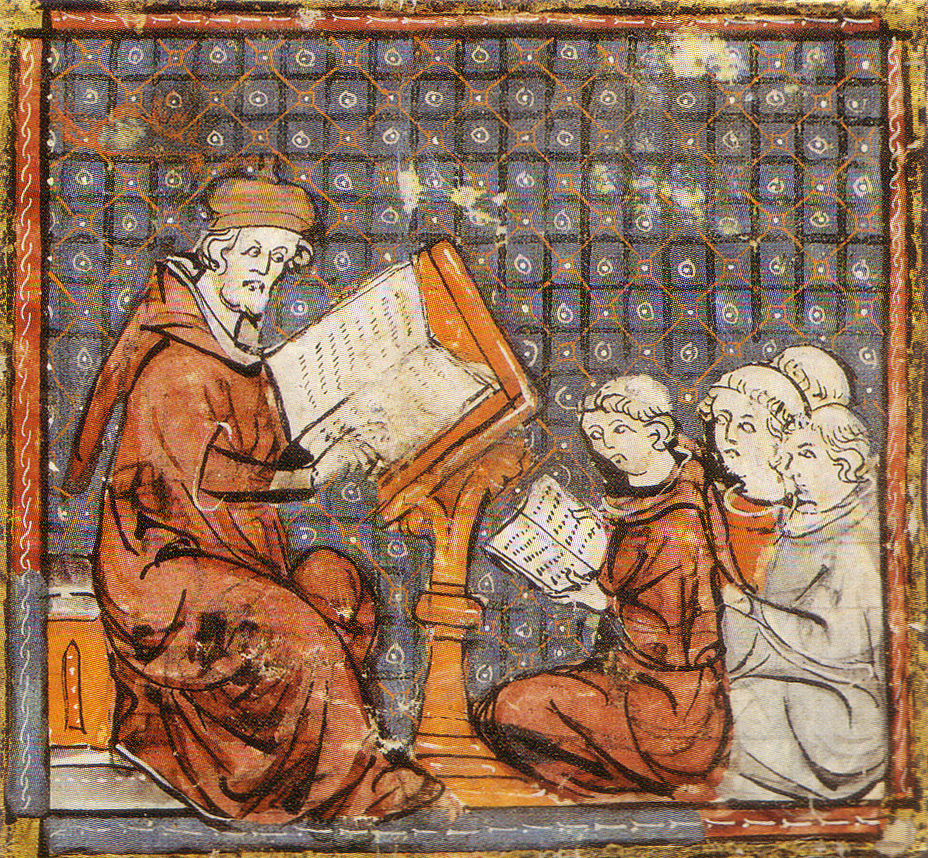
1 to 1 comes to the monastery

You may have seen this video before: Brother Ansgar is introduced to the new technology called a 'book'. 


It's always worth another look, but what is not so well known is a later conversation between the two monks, also based on a real event in history. There is no video, but fortunately a scroll was found and has been translated from the original Norwegian.

Ansgar comes into Morten's cell. Morten is reading.

Ansgar: I've got much more used to these books now. But I hear that the trainee monks will all be bringing their own books next year.

Morten: Yes, that's the new 1 to 1 programme. We're hoping that it will inspire the novices and the monks to teach and learn in new ways.

Ansgar: Yeees... but I'm not sure it's such a good idea. Just because the Abbot of Clervaux is doing it, doesn't mean we have to follow suit.

Morten: We were 1 to 1 at my previous monastery. I wasn't sure about it in the beginning, but I soon found that it allowed me to do things I couldn't do before in the schoolroom.

Ansgar: Ah yes, but you've always been a lover of new technology. What about the rest of us? I already teach my novices very well. I don't see the point of bringing something new and distracting into the lessons. If they all have a book with them, how do I know they are listening to me?

Morten: You tell them to close it. You are in charge. And you're right, Ansgar, you are a very good teacher and your students appreciate that. But the book is a new development which affects all areas of life. Education too. It is not fair on your novices to ignore it.

Ansgar: But I don't know where to start! You're asking me to do a completely different job...

Morten: That's not the way to look at it, Ansgar. First of all, you are already an expert. You know how to teach your subject; your students do very well and you know a good teaching idea when you see one. You are always looking for ways to improve how you teach. All a 1 to 1 book environment does is to give you new ways to engage the novices in addition to the excellent things you are already doing.

Ansgar: But where do I start? I'm not used to a 1 to 1 schoolroom. Suddenly I have to do every lesson in this new way.

Morten: No you don't. Don't listen to those who say that a revolution has occurred. You will evolve into a 1 to 1 monk at your own pace. Why would you throw away everything that works so well? But I know you are honest with yourself and you will see ways that you can teach your novices better using books: new ways you have waited your whole career to see made possible.


Ansgar: So it's OK to have lessons with no books?

Morten: Of course. There are many occasions when the old methods such as scrolls, plainsong or meditation are the most suitable. But it would be a mistake not to take advantage of what 1 to 1 books allow you to do which you could never do before. This monastery admires risk-takers, so try something new, but do it with your least successful unit where the stakes are not too high - not everything will go right the first time. Also, work with your colleagues; share ideas and experiences. And talk to the Book Facilitator; he will come to your cell with some ideas or he can meet your novices in the cloister and model a lesson with 1 to 1 books.

Ansgar: I'm afraid of what the novices will say. They already know so much about books.

Morten: It's easy to think that, but don't assume because they have their noses buried in a book all day they know how to use it in an academic situation. The novices are in a rut with their technology. They still need you and your teaching expertise to help them use the books to understand your subject. The role of the good monk has always been to take the novices out of their comfort zone, to bring them to higher levels of thinking. The beauty of 1 to 1 books is that you have more possibilities than before to do just that. All of your novices now have access to knowledge when they need it and at the speed that they can learn. That leaves your hands free to help individuals, suggest another book or give them different tasks.

Ansgar: I don't even need to use the books all lesson, it could just be one activity...

Morten: Exactly.

Ansgar: But sometimes things will go wrong...

Morten: That's life, Ansgar. Saint Sirken has preached: "If you're not prepared to be wrong, you'll never come up with anything original".

Ansgar: But I'm so busy...

Morten: I'm not going to tell you that you won't have to do some work and spend some time learning new ways with 1 to 1 books, but there are many ways to be efficient and effective: working with your fellow monks, Ecclesiastical Development, getting ideas from colleagues at other monasteries. You are not afraid of a bit of hard labour, Brother Ansgar. The important thing is to be motivated and to see that you are not being asked to change completely; the monastery wants you to apply your expertise to the new tool and become an even better teacher for your novices. You may even enjoy the journey.

Ansgar: Well if you put it like that...

Morten: And now I must leave you: the Abbot was reading in the refectory and has spilt mead on his scroll.

Both: God be with you, brother!


Monday, June 2, 2014

The Long Road to 1 to 1 (Step 3)

You would have thought that, 17 months after my last post, a lot must have happened: 1 to 1 would be here, for example. But that is not the case. 1 to 1 isn't here, though we have a definite date more than a year hence. To recap: September 2013 was originally the date at which students would all be required to come to school with a 'device'. The teachers would not get a device, or rather, they would continue with desktops. And there was no justification for Why?

That was the plan, no other details. It has been a good move to push it back a year, even two. Where we are now might be called Year Minus One. In 2015, a year from now, three year groups, grades 6 to 8, will be required to bring a laptop to every lesson (either Mac or Windows). About one year earlier, the teachers of these students will receive a laptop - these will all be the same, and probably Windows. In the 2016-17 school year, the rest of the students (the older ones) will be obliged to have a laptop. Possibly, by then, many will have brought them in before the deadline. The second phase of teachers machines will happen one year before (in Year Zero, to continue the terminology).

It's a plan, as they say. Why it has this particular shape is complicated: the phased introduction is budgetary in respect of the teachers' machines; it also has a justification in terms of being able to focus PD and resources. Secondly, the phasing begins with the Middle School students. For many, this is not the intuitive decision, perhaps because secondary schools tend to design programmes from the endpoint backwards: what does the university entrant need? and deduce the earlier years pedagogy from there. Starting 1 to 1 in the MS, however, is a greater investment since the students will be staying longer at the school. Also, in theory, the stakes for teachers who wish to innovate are less high, so their willingness to experiment should be greater. Being, in theory at least, less beholden to content, the Middle School has space to try things out. Conversely, the relatively change-averse Upper School teachers will have longer to get their heads around the new landscape.

The students' computers will be 'platform agnostic'. Why? In truth, this is because the school is squeamish about requiring something too specific and had already started using the phrase BYOD back in 2012 (without knowing what it implied). I think, though, we can see this as an advantage, so long as we can also put in some constraints. Allowing either Apple or Microsoft should force more content into the cloud to enable students to access resources using their browsers. It should encourage teachers to think in terms of project-based learning rather than program-specific activities. We will, however, stipulate some technical requirements: laptops with particular specs and programs.

So given the agnostic argument, why would the teachers not also have a choice? The reasons for this are several: for the institution, it is much more efficient to buy, set up, train for, support one machine. Furthermore, even limited choice can be dangerous. Some staff can be expected to later regret the impulse choices they make and then we would have to deal with their dissatisfaction. Better not to go there.

So there we are. Many details will follow, some may even change due to force majeure, and I may have forgotten to mention some.

It has been quite a journey to get this far, to have administrative agreement and to have communicated the broad plan to staff. We have even started to soften up the teaches for the main assault with some PD. But totally missing so far are several things: an announcement to the parents; a detailed plan for the introduction; and a strategy and budget to prepare the school for the change. None of these will emerge painlessly from this particular institution, so I feel a responsibility, from the bottom up, to set these things in train.

Watch this space, hopefully more frequently than every year or so.

Wednesday, January 9, 2013

The Long Road to 1 to 1 (step 2)

In the previous post, I described how we have changed tack in the process of moving our established European international school towards a 1 to 1 computer arrangement. Prior to the recent arrival of the new director of technology and ICT facilitator (the second one is me), the school management had committed itself to a byod (bring your own device) project from September 2013. We have introduced an undefined delay and are carefully referring to '1 to 1' rather than byod, since we don't see any advantages to the institution of byod. The first proposal caused a significant amount of concern among staff, especially the proposal to dispense with their beloved desktops. We looked into how many teachers have experience of 1 to 1 programmes and there are only 8 teachers out of 80, of whom 5 have arrived within the last 4 months. It is maybe not surprising that they are alarmed by the idea of a move to mobile machines, citing worries about posture, power and projectors amongst others.

We have written a list of questions, which has been reduced to eight, the answers to which will allow us to write a 'manifesto' for the development of a programme. This may seem overblown, but we realised that the school had not discussed a justification for putting mobile technology in the hands of the students to use in their learning. We put together some articles and videos which covered various aspects of the issue on a learnist board and asked the leadership team to read a few each as well as considering our questions. Here are those questions:


  1. How do the school’s philosophy/mission/vision/values justify 1:1?
  2. How do we expect teaching and learning to change?
  3. What are the expected benefits?
  4. What difficulties could there be with the implementation of 1:1?
  5. What if we didn't do it?
  6. What process should we use to decide which model to adopt?
  7. Do we know if parents, teachers and students are in favour?
  8. Why should the school introduce a 1:1 programme?

We met the leadership of the school and had a thoughtful discussion around the issues. Since a meeting of the academic leaders was coming up (heads of departments such as Science and Modern Languages), we put the questions to them too for their reactions. We are expecting all of those responses by the end of the week, though the majority I have seen so far are along the lines of: you guys are the experts, tell us what we want. At least they can't say we didn't consult them. The idea behind developing the manifesto is to have the support of the institution as we go forward.

The next stage, which will run concurrently with the ongoing consultation, is to consist of research, visits and pilots. As much of the data as possible is meant to be contextual, ie How would 1 to 1 work in our school? The visits are intended to be varied and also to include people from across the spectrum in the school from techies to Luddites and admin to students; similarly we hope to set up a few 1 to 1 zones around the school eg iPad room, Chromebook room, laptops and tablets to gather different sorts of information. These spaces will also function as training areas for teachers in the 1 to 1 environment whichever it is to become.

Will this work? Will the result be a better introduction of a 1 to 1 programme? We won't know how it would been otherwise, but having observed the school during the last few months, there is a number of pitfalls I am hoping to avoid. Firstly, the experience of both students and teachers in the uses of technology in the classroom are very limited. Secondly, this is a quite conservative institution in which fear of change expresses itself in the form of banal doubts which double as passive resistance. I see no way to achieve a proper change in which education takes the central position unless the community comes with its hearts and minds. This includes the opportunity for the 'antis' to express publicly their misgivings. I have learned that whatever the outcome of a consultation, you have to keep up the momentum. When the deadline for feedback has passed, report quickly, adjust accordingly and move on. And realistically interpret both positive or negative reaction (there are dangers in giving disproportionate attention to either).

So far, the outcomes of the consultation have not really pushed us forward on a wave of new ideas, but they have allowed the expressions of doubt as well as obliging the community to envisage a future with a school where everyone has a computer in hand all day.